
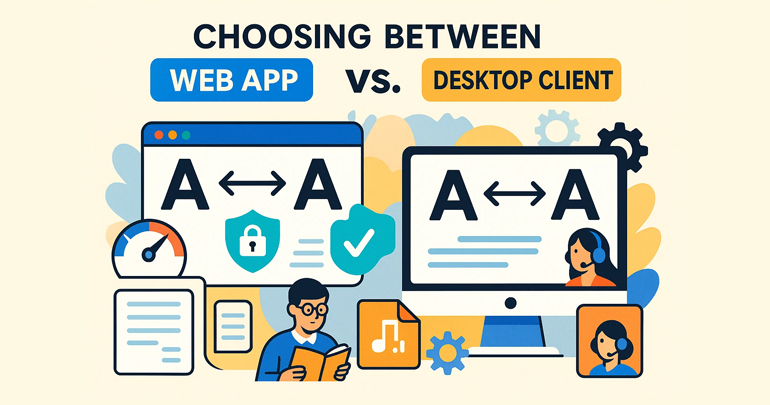
Transforming the handling of foreign language materials in the office from a “passive response” to a “proactive control” doesn’t require more complex tools, but rather embedding translation capabilities into daily workflows. Youdao Translate(有道翻译) desktop application connects quick word lookup, full-segment translation, real-time dictation, and batch document processing into a replicable workflow. The goal is to reduce repetitive tasks and allow more time for judgment and decision-making. Below, we’ll use actionable steps, real-world scenarios, and practical suggestions to illustrate how desktop applications can make multilingual communication natural and efficient.
Core capabilities: What can be done on the desktop (not a list of features, but “how things are done”)
Compress the process of “reading once → understanding → writing a reply” into a single flow.
The traditional process is: read the original text, look up words, understand, write back, and proofread. The desktop version allows you to look up words and understand in parallel: select sentences to get definitions, example sentences, and synonyms, and when writing back, directly apply machine suggestions and quickly switch styles (business/academic/spoken), reducing the entire process from minutes to seconds.
Transform “passively receiving translations” into “actively iterating translations”
Instead of treating machine translations as the final answer, we treat them as candidate drafts. The desktop version supports multiple versions of translations side by side, terminology priority locking, and real-time human fine-tuning, forming a closed loop of “machine suggestion → human optimization → team reuse”.
Transform “temporary word lookup” into “reusable knowledge”
Each word lookup can be synced to your personal or team terminology database with a single click, and then exported as a project terminology list to ensure consistency in expression across different documents and meetings for the same project and topic.
Three typical scenarios and practical procedures (copy and paste to use)
Scenario 1: Cross-border email processing (suitable for customer service/sales/project managers)
- When you receive a foreign language email: Enable the desktop word highlighting mode, highlight key sentences paragraph by paragraph, and view the translation and contextual annotations.
- Generate a draft reply: Use “Style Switch” to generate three versions of Chinese/English replies (concise/detailed/business polite), select and fine-tune them.
- Terminology Consistency: Add new terms appearing in emails to the project terminology database and sync them with the team.
Benefits: Response time reduced by more than 50%, and terminology misuse rate significantly decreased.
Scenario 2: Multilingual document integration (suitable for academic/marketing/product descriptions)
- Batch upload documents (PDF/Word): The desktop client retains the original layout and outputs a version in the target language.
- Annotation and proofreading: Mark uncertain paragraphs in the machine translation and give them to team members for centralized manual verification.
- Version Archiving: Package the final translation, original text, and glossary as project deliverables.
Benefits: Document translation cycle can be shortened to one-third of traditional manual proofreading, and delivery is more standardized.
Scenario 3: Online Meetings and Instant Minutes (Suitable for Management/PM)
- Pre-meeting preparation: Upload the meeting agenda and key information, generate a glossary on the desktop and prioritize its identification during the meeting.
- Conference simultaneous interpretation: Enables real-time speech transcription and subtitles, and automatically generates multilingual minutes drafts of speeches.
- Post-meeting distribution: Export multilingual versions of the minutes and push them directly to the project management system in conjunction with task assignments.
Benefits: Reduced comprehension errors during meetings, improved follow-up efficiency, and a more complete decision-making loop.
Ten efficient desktop usage tips (operational level suggestions)
- Upload core materials in advance : Upload product documents, FAQs, and contract templates at the beginning of the project to save time on repeated translations later.
- Establish a team terminology database : standardize naming, units, and proper nouns to avoid waste caused by inconsistent translations.
- Use multiple versions for comparison : When encountering complex sentences, compare 2-3 translations and choose the one that best matches the tone.
- Use translations as templates : Save frequently used replies and email templates as snippets, and insert and fine-tune them with one click next time.
- Enable speech-to-text for shorthand : Use the desktop client for real-time shorthand during meetings to save time on manual minutes.
- Combine photo/OCR with desktop applications : Take a photo of the whiteboard or slides on-site, upload it, and instantly recognize and translate the entire sentence.
- Offline backup : When traveling or experiencing network restrictions, enable the offline dictionary and commonly used expression packs.
- Periodically export terminology reports : Export a terminology update table every two weeks to view new items and synchronize training.
- Break down the proofreading work into smaller tasks : assign different people to proofread different chapters, and use the desktop annotation function to track problems.
- Secondary proofreading for high-risk texts : After machine translation, legal, contractual, or medical texts must be manually reviewed and signed for confirmation.
Deployment and security considerations (key points for enterprise-level implementation)
Local deployment vs. cloud service
- Small teams or individuals: quick deployment and convenient updates via the cloud.
- For enterprise-level or confidential scenarios: Private deployment or hybrid cloud is recommended to ensure that sensitive data does not leave the domain and meets compliance requirements.
Access and Auditing
- Establish write permissions, document access control, and audit logs for the terminology database to ensure that modifications are traceable;
- Set up a secondary confirmation process for high-privilege users (such as legal and compliance personnel) to prevent unapproved translations from being sent out.
Compliance and Data Governance
- Determine which data can be used for AI model training and which must be retained locally;
- Integrate with the company’s existing DLP (Data Loss Prevention) system to prevent sensitive information from being mistransmitted.
Frequently Asked Questions and Quick Troubleshooting (An Operation Manual for IT and PMs)
- Low recognition rate : Check microphone sampling rate and network jitter; it is recommended to switch to a wired network or increase microphone sensitivity.
- Inaccurate terminology recognition : First, manually add the terminology to the terminology database, and then perform a pre-meeting synchronization.
- The translation doesn’t fit the tone : Use “Style Switch” and make manual adjustments, then save it as a corporate template.
- Export format mismatch : Prioritize uploading the original document (not a scanned PDF). If scanning is necessary, use an OCR quality optimization tool first.
From “Translation Tool” to “Communication Engine”
The value of the desktop version lies not in adding another translation window, but in integrating language processing capabilities into your workflow—combining fragmented tasks like word lookup, rewriting, proofreading, and archiving into standardized, reusable steps. The ultimate goal is not to completely replace human intervention, but to free people from repetitive tasks so they can make judgments, decisions, and create. By treating Youdao Translate desktop (有道词典) an entry point for process transformation, rather than simply a tool, you can truly turn multilingual communication into an accelerator of daily efficiency.