
Most people’s first session with an AI floor plan editor doesn’t go badly because the tool is bad. It goes badly because of a handful of avoidable habits nobody warns you about upfront. Here’s what actually trips people up, and the fix for each one.
Mistake One: Typing “Make It Better” and Expecting Something Useful Back
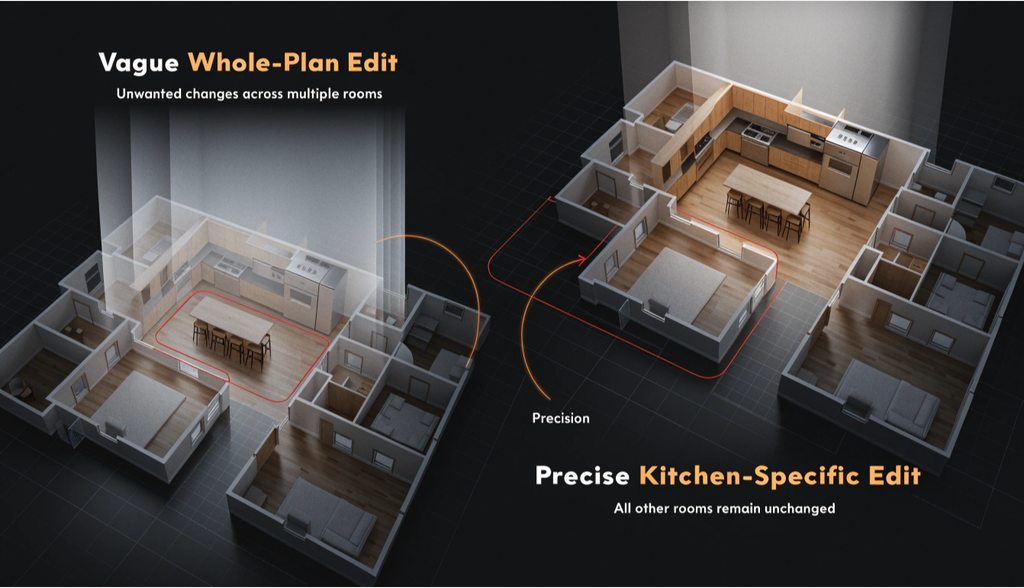
This is the single most common way people waste their first attempt. “Make it better” gives an AI floor plan editor nothing concrete to act on, so it defaults to a generic, unremarkable interpretation of “better” that rarely matches what you actually had in mind. The fix is embarrassingly simple: say the actual thing you want. “Add a kitchen island with seating for two.” “Remove the wall between the living room and hallway.” “Create a walk-in closet in the primary bedroom.” Specific instructions produce specific, usable results. Vague ones produce vague, forgettable ones.
Mistake Two: Editing the Whole Plan When You Only Wanted One Room Changed
People upload a full floor plan, describe a kitchen change, and end up frustrated when the bathroom layout shifted slightly too, or the bedroom furniture rearranged itself without being asked. This usually happens because the whole image got submitted for editing instead of just the relevant area. Most floor plan editors let you brush over or select the specific region you actually want changed, leaving everything outside that selection untouched. Skipping that selection step and editing the entire plan at once is how small, targeted requests turn into bigger, messier changes than intended.
Mistake Three: Starting With a Blurry or Tiny Image and Expecting a Sharp Result
A floor plan editor works from whatever image you give it, and a low-resolution, badly lit, or tiny screenshot simply doesn’t contain enough visual information for the AI to work with accurately. People upload a heavily compressed phone screenshot of an old plan, get back a muddy, imprecise result, and blame the tool. The actual fix is upstream of the editor entirely: find or scan the clearest version of your original plan you can, even if that means photographing a printed blueprint in good light rather than using a years-old, low-quality digital copy.
Mistake Four: Assuming the First Result Is the Only Result You’ll Get
A lot of first-time users generate one edit, don’t love it, and conclude the tool doesn’t really work for what they need. In practice, the first generation is closer to a first draft than a final answer. Refining your instructions, adding more specific detail about what didn’t look right, or simply regenerating with a slightly adjusted prompt, usually gets you much closer to what you actually wanted.
Treating one attempt as the tool’s full capability, rather than the starting point of a short back-and-forth, is one of the most common reasons people walk away disappointed with results that were genuinely one or two iterations away from working.
Mistake Five: Using an Editor When You Actually Needed a Generator
This one’s subtle but common. Someone with only a rough idea, no real floor plan yet, tries to force that idea into an editing tool by sketching something fake just to have an image to upload. That’s backwards. An editor is built to modify something that already exists. If nothing real exists yet, a floor plan generator, built to create a layout from a description rather than an image, is the more direct path. Trying to fake your way into an editing workflow when you actually need a generation workflow adds friction that a five-second realization would have avoided entirely.
Mistake Six: Treating a Generated Edit as a Finished Construction Plan
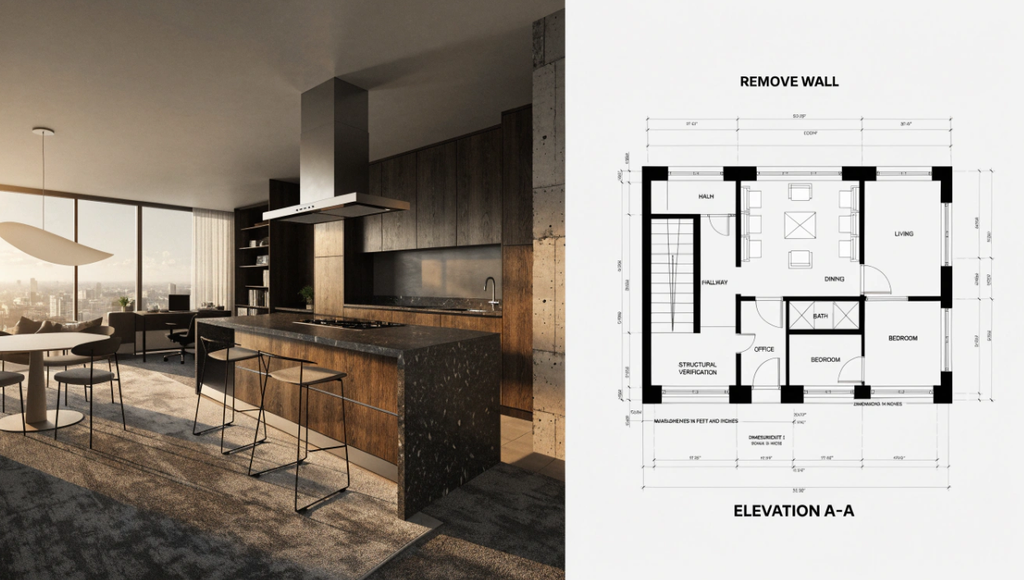
This is the mistake with the highest real-world cost. Someone edits a wall out of their floor plan, likes how open the space looks, and starts planning an actual renovation around that visualization without ever checking whether the wall is load-bearing. An AI floor plan editor is a visualization and communication tool. It has no idea what’s structurally holding your house up. Every edit involving a wall, a plumbing-adjacent space, or anything touching your home’s actual systems needs a professional’s real assessment before it becomes an actual project, no matter how convincing or clean the generated image looks.
Mistake Seven: Not Saving or Tracking Which Edit Was Which
After a few rounds of edits, kitchen version one, kitchen version two with the island moved, a furniture rearrangement on top of that, it’s easy to lose track of which generated image was which, especially if you’re comparing options for a client or trying to decide between directions yourself. Most editors keep a history of previous generations, and it’s worth actually using that feature deliberately, labeling or noting what each version represents as you go, rather than relying on memory once you’re five edits deep into a session.
The Pattern Underneath All Seven of These
Almost every mistake on this list comes down to the same root cause: treating the tool like it should read your mind instead of treating it like a genuinely useful collaborator that needs clear direction. Specific instructions, targeted area selection, decent source images, a willingness to iterate, and a clear sense of what the tool can and can’t actually tell you about your house’s structure, that’s really the whole list of things separating a frustrating first session from a genuinely useful one.