
Watching videos and streaming music are among the most common activities on our smartphones today. However, relying purely on streaming requires a stable, fast, and often expensive internet connection. Whether you are commuting through a subway tunnel without a cellular signal, trying to save on a limited monthly mobile data plan, or simply worried that your favorite internet video might be taken down, the ability to download media for offline viewing is a digital game-changer.
For Android users, finding a versatile and reliable tool to save content from various social media and video platforms can be a challenge. Enter VidMate, a powerful utility that acts as an all-in-one multimedia solution.
If you are looking for an efficient youtube downloader app, VidMate stands out as one of the most comprehensive choices on the market. It goes far beyond simple video saving, offering a suite of features that cater to audiophiles, movie buffs, and social media enthusiasts alike.
Here are seven reasons why this application has become the go-to media tool for millions of Android users worldwide.
1. Unmatched Multi-Platform Support
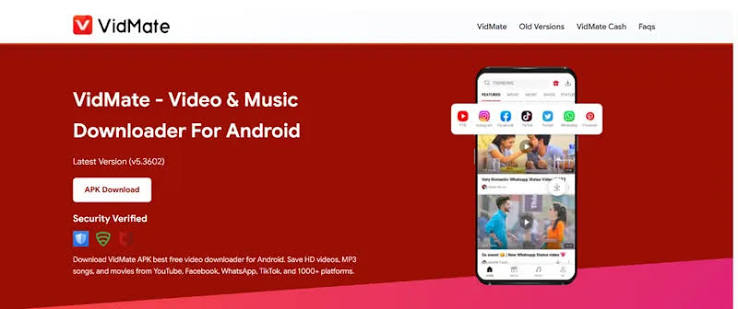
When looking for a downloader, you don’t want to clutter your phone by installing separate applications for YouTube, Instagram, and Facebook. One of the strongest selling points of VidMate is its vast compatibility. While it excels at pulling content from YouTube, it seamlessly integrates with over a thousand other websites and platforms.
You can easily save Instagram Reels, Facebook tutorials, Twitter video threads, TikTok choreographies, and even WhatsApp status updates. By acting as a universal tool, it clears out the clutter on your device, replacing a half-dozen single-purpose apps with one streamlined powerhouse.
2. Flexible Video Quality Options (Up to 4K)
Storage space and visual preferences vary greatly from user to user. A quick, funny meme downloaded for a group chat doesn’t need to be in crystal-clear definition, but a travel vlog or a movie trailer deserves high-definition viewing. VidMate gives you complete control over the resolution of the files you download.
Before finalizing a save, the app prompts you to select the exact quality and format. If you have an older device or are low on storage space, you can opt for 360p or 480p. If you want to view the content on a tablet or cast it to a modern smart TV, you can crank the resolution up to 1080p or even 4K (provided the original upload supports it).
3. Built-In MP3 Conversion for Music Lovers
Not every video needs to be watched; sometimes, you just want to listen. Whether it’s an educational podcast, a motivational speech, or a music track that isn’t available on mainstream music streaming platforms, VidMate has a built-in audio extraction feature. You don’t need to download a secondary video-to-audio converter app.
When you tap the download button, the app gives you the option to download the media strictly as an MP3 or M4A audio file. You can even choose the audio bitrate, ensuring high-fidelity sound. This feature empowers you to build massive offline music playlists for free.
4. Advanced Download Manager
Buffering, slow speeds, and broken downloads can be incredibly frustrating. VidMate leverages an advanced download engine designed to maximize speed by utilizing multiple network connections simultaneously. Furthermore, the download manager operates silently in the background, allowing you to play games, text, or browse the web while your media transfers.
It also features a highly robust pause and resume function. If your Wi-Fi drops or you need to leave the house and disconnect, the download will simply pause and seamlessly resume once you are reconnected, ensuring you never have to restart a massive file from scratch.
5. Integrated Web Browser and Media Player
To make the user experience as frictionless as possible, the developers integrated a fully functional web browser directly into the app. Instead of copying and pasting URLs from your standard mobile browser, you can log in to your social media accounts and browse directly within VidMate.
When a video plays, a floating download button automatically appears, making the saving process a one-tap affair. Additionally, the app features an integrated media player that supports a wide range of formats (MP4, AVI, MOV, FLV). You won’t need to download a third-party media player to watch what you’ve saved; it is all handled in-house.
6. Live TV and Entertainment Hub
VidMate goes significantly beyond simply fetching files from the internet; it is a full-fledged entertainment ecosystem. A feature that often surprises new users is its dedicated Live TV section. The app provides access to over 200 live television channels from across the globe, covering breaking news, live sports, music, and general entertainment.
Whether you want to catch up on a local broadcast or watch a global event, the app offers a buffer-free streaming experience. It also features a “Discover” tab that highlights trending movies and viral videos to help you find new favorites.
7. User-Friendly and Customizable Experience
The user interface is clean, intuitive, and highly customizable to fit your daily lifestyle. You can shift downloaded files directly to an external SD card to prevent your phone’s internal storage from filling up.
For multitaskers, the app offers a Picture-in-Picture (Pop-Up) mode, letting you watch downloaded videos in a small floating window while checking emails or browsing other apps. Security and privacy are also prioritized; you do not need to create an account or provide personal information to start downloading. There is even a toggleable “Restricted Mode” that filters out explicit content, making the application safer for younger audiences.
Frequently Asked Questions (FAQs)
Is VidMate completely free to use?
Yes, the application is entirely free to download and use. You do not need to pay a monthly subscription fee to access its core features, including downloading high-resolution videos, converting media to MP3, or streaming live television channels.
Why can’t I find this app on the Google Play Store?
Google’s Play Store policies strictly prohibit applications that allow users to download videos directly from YouTube, as it conflicts with their terms of service. Therefore, to install the app, you must download the official APK file from a trusted source (like their official website) and install it manually on your Android device.
Can I download multiple videos at the same time?
Absolutely. The built-in download manager supports batch downloading. You can queue up several videos, movies, or songs at once, and the app will process them simultaneously in the background while you continue to use your phone normally.
Is it legal to download videos using this tool?
Downloading videos for personal, offline viewing is generally considered acceptable and falls under fair use in many regions. However, downloading copyrighted material with the intent to distribute, sell, or claim it as your own is illegal. You should always respect the original creator’s copyright and the terms of service of the platform you are downloading from.
Conclusion
The modern internet is an endless treasure trove of media, but without the right tools, accessing that content offline can be unnecessarily complicated. VidMate cuts through the limitations of modern streaming platforms by offering a robust, fast, and highly customizable downloading experience.
From multi-format video saving to high-quality MP3 conversion and live TV streaming, it serves as the ultimate digital companion for your Android smartphone. If you want to take total control of your media consumption, save on your monthly mobile data bill, and build an incredible offline library, installing a dedicated video saver is the smartest move you can make.