
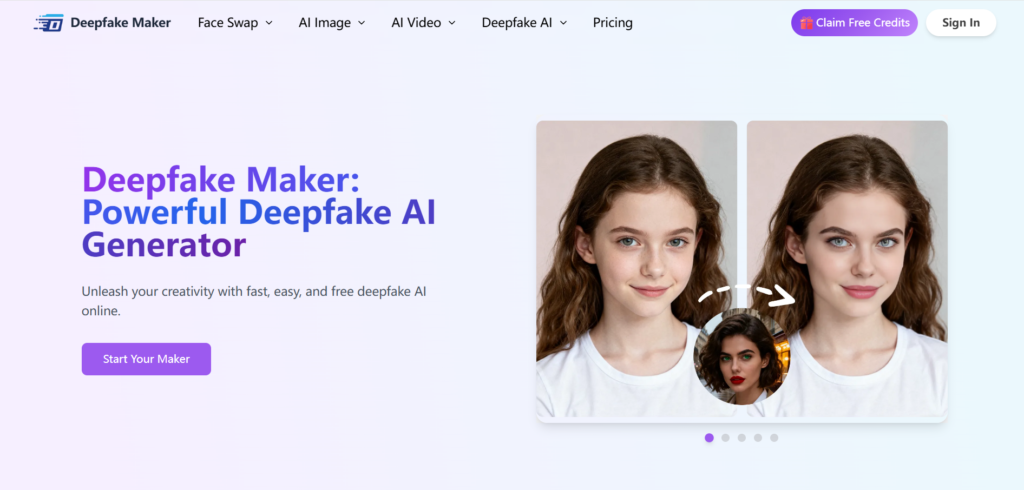
A deepfake image maker can turn a simple photo into a convincing face swap in minutes—no timeline scrubbing, no layers, no “why does this look fake?” spiral. But the best results don’t come from magic. They come from a smart workflow, the right source images, and a tool that’s built for speed and realism.
That’s where Deepfake Maker stands out: it’s an online platform built around practical creation—fast uploads, straightforward steps, and a wider tool stack (image + video + edits) so your final output looks intentional, not accidental.
Below is a creator-friendly walkthrough of what to look for in a deepfake image maker, how to get more realistic results, how Deepfake Maker compares to common alternatives, and how to stay on the right side of ethics and policy while you create.
What a Deepfake Image Maker Actually Does
At its core, a deepfake image maker is an AI tool that maps facial features from one image onto another while trying to preserve realism—skin texture, lighting direction, expression, and perspective. The goal isn’t just “swap face A onto body B.” The goal is “make it look like it belonged there all along.”
The simplest workflow is usually:
- upload your original image,
- upload the target face image,
- generate and refine.
That basic “upload → swap → export” flow is exactly how Deepfake Maker positions its process for both photos and videos.
A good deepfake image maker should do two things at once:
- Protect believability (so it doesn’t look pasted-on)
- Protect your time (so you can iterate quickly)
Why Deepfake Maker Is Built for Real-World Creators
Most people don’t need a research lab—they need a reliable toolchain. Deepfake Maker leans into that “creator workflow” mindset:
- Image generation + refinement mindset: Deepfake Maker describes its deepfake image workspace as something you can generate quickly, refine, and export for social posts, ads, or storytelling.
- Face swap across formats: It highlights face swap steps and supports working with both photos and videos (including video face swap).
- Privacy positioning: Deepfake Maker explicitly markets privacy-safe usage (and, on its video face swap page, notes you don’t need to log in and that uploaded data is cleared after you leave).
- A broader tool menu: Their “face swap tools” hub lists multiple swap options (photo/video/multiple faces) plus related tools like gender swap and head swap—useful when your first attempt doesn’t match your creative direction.
If you’re building content at scale, the tool that wins is usually the one that reduces redo work.
The 5 Ingredients of a Realistic Deepfake Image
No matter which deepfake image maker you use, realism mostly comes down to fundamentals. Here are the five levers that matter most:
Match the camera angle (more than the face)
If the base photo is a 3/4 angle and your target face is front-facing, even a strong model will struggle. Pick a target face that “lives” in the same perspective.
Lighting direction beats “high resolution”
Softbox from the left? Window light from above? The face must inherit the same light logic. If it doesn’t, your brain spots it instantly.
Expression compatibility
A neutral face swapped onto a big smile base photo can look uncanny fast. Whenever possible, match expression intensity (relaxed, laughing, surprised, etc.).
Hairline + edges = the realism tax
Edges are where edits go to die: hairline, jaw contour, ears, glasses, hats. If your base image has complex edges, choose a target face with clean edges—or plan to refine after.
Don’t over-sharpen the final
A common “AI look” comes from overcooked micro-contrast. Real photos usually have softer transitions—especially around cheeks and forehead.
Deepfake Maker’s ecosystem approach matters here because you can prep inputs (lighting, clarity) and clean outputs (polish) using related tools in the same platform flow.
A Clean, Repeatable Workflow (No Overthinking)
Here’s a practical workflow you can reuse for consistent results with a deepfake image maker—especially if you’re doing multiple variations for a campaign.
Step 1: Pick a “base” image with fewer edge traps
If you’re new to this, start with:
- minimal hair crossing the face
- no heavy motion blur
- no extreme wide-angle distortion
You’ll get better results faster.
Step 2: Pick a target face image that matches the base
Checklist:
- similar angle
- similar lighting
- similar expression
- similar image quality
Step 3: Generate your first swap (fast draft)
Deepfake Maker frames its creation flow as simple uploading plus AI-driven swapping—designed to be quick to try.
Step 4: Refine like a designer, not a gambler
Instead of “generate 30 times and pray,” change one variable at a time:
- swap to a target face with slightly different angle
- swap to a target face with softer lighting
- swap to a higher-clarity target face
Step 5: Export with your real use in mind
If it’s for a thumbnail, you want readable shapes at small sizes.
If it’s for a poster, you want clean skin texture and stable edges.
Deepfake Maker positions its deepfake image output as ready for socials/ads/storytelling, which aligns well with this “output-first” thinking.
Use Cases That Don’t Feel Sketchy
A deepfake image maker becomes genuinely useful when you keep the goal creative and consent-based. Here are solid, practical use cases:
Creator storytelling & character concepts
Writers, indie filmmakers, and designers use a deepfake image maker to mock up character looks before committing to a shoot.
Parody content (with permission)
Deepfake Maker explicitly mentions memes and parodies in its positioning for face swap outputs.
Keep it ethical: get consent if it involves a real person who isn’t you.
Campaign concepting for brands (internal drafts)
Teams can prototype “what if this model had a different vibe?” before booking new photography—again, only with authorized assets.
Localization: same creative, multiple variations
If you’re adapting visuals across regions, you can use a deepfake image maker for controlled variations—while keeping composition consistent.
Content repurposing
If you already own the source images and have the rights, you can create new variants for A/B tests without reshooting.
Deepfake Maker vs Other Tools
There are plenty of tools that behave like a deepfake image maker, but they serve different needs.
DeepfakesWeb
DeepfakesWeb focuses on cloud deepfake creation by uploading image/video and producing a deep swap online.
It’s a known option, but many creators prefer a broader tool stack when they need polishing and variations.
Canva (Face Swap feature)
Canva’s face swap is built for speed and casual creativity—great for quick social posts, less focused on deep realism workflows.
CapCut Dreamina
Dreamina markets a “deepfake image maker” angle with creative speed and iteration—useful if your pipeline already lives in CapCut-style ecosystems.
JoggAI
JoggAI emphasizes “ethical” deepfake creation and multilingual features on the video side—more aligned with talking avatars and video workflows.
Where Deepfake Maker fits
Deepfake Maker’s differentiator is the “creator platform” posture: face swap tools across types, a clear 3-step workflow, and privacy-first messaging, plus a supporting set of edit/upscale tools to help outputs look finished.
If you’re choosing one deepfake image maker to keep bookmarked, the best choice is usually the one that reduces the number of tools you have to duct-tape together.
Safety, Consent, and the “Don’t Be That Person” Rules
Deepfakes aren’t just a creative category—they’re a trust category. In 2026, regulators and platforms are paying close attention to misuse, especially non-consensual sexual deepfakes.
If you’re using a deepfake image maker, keep these rules non-negotiable:
- Use only images you own or have permission to edit.
- Don’t impersonate real people to mislead others (fraud, defamation, or fake endorsements).
- Avoid anything intimate or exploitative, even as a “joke.” That’s where real harm happens—and where legal risk spikes.
- Label parody clearly when it could be mistaken as real.
- Keep private content private (and be mindful of how any platform handles uploads and retention).
Deepfake Maker’s pages emphasize privacy-safe usage and no-login flow for certain tools, which is a good baseline—but ethics is still on the creator.
FAQ: Deepfake Image Maker Questions Creators Ask
What’s the fastest way to get better results with a deepfake image maker?
Use better inputs: match angle, lighting, and expression. Most “bad deepfake” issues are input mismatch, not the model.
Is Deepfake Maker only for video?
No—Deepfake Maker presents both image and video deepfake workflows, including a dedicated deepfake image generator page and face swap tools across types.
Do I need editing skills to use a deepfake image maker?
Not really. Many tools (including Deepfake Maker) position the process as upload-based and beginner-friendly.
How do I avoid the “uncanny” look?
Avoid extreme angles, extreme expressions, and harsh mixed lighting. Keep the base photo clean and realistic, then iterate deliberately.
Are deepfake image makers legal?
It depends on use and jurisdiction. Consent and intent matter a lot—especially around impersonation or intimate content. Recent reporting highlights increasing legal and regulatory attention to non-consensual deepfakes.
Conclusion
A deepfake image maker is either a creative accelerator or a reputation risk—depending on how you use it. If your goal is ethical, consent-based creativity (storytelling, parody-with-permission, campaign concepting), then the right platform is the one that keeps the workflow simple and the output polished.
Deepfake Maker is built around that practical creator loop: quick swaps, multiple tool options, and a platform that supports both image and video use cases while emphasizing privacy-safe handling in its messaging.
If you want a deepfake image maker that feels more like a workflow than a one-off trick, Deepfake Maker is a strong place to start.