
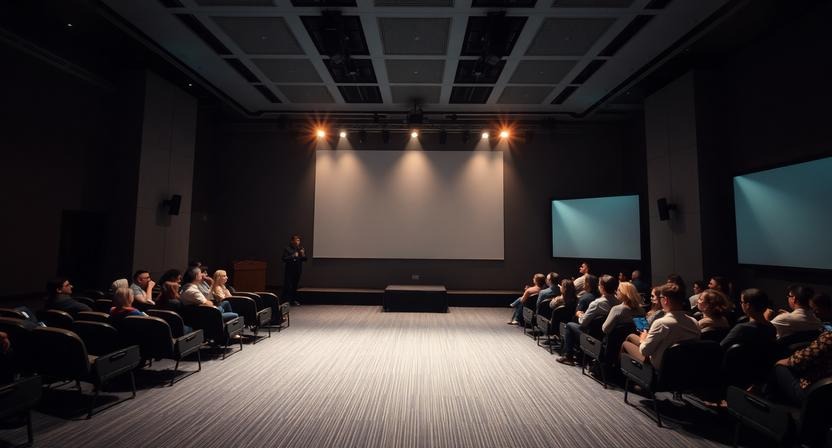
In today’s fast-paced digital world, presentations are everywhere — from business boardrooms and academic lectures to worship services and virtual conferences. Despite their ubiquity, most presentations fail to make an impact. They either bore the audience, fall into technical issues, or simply don’t convey the intended message in a memorable way.
This isn’t just a matter of slides with bad design; it’s a deeper issue rooted in how presenters plan, organize, and deliver content. Understanding why presentations fail and the tools that can fix these problems is essential for anyone who wants to engage an audience effectively.
One tool gaining significant attention for solving presentation pitfalls is ProPresenter. Originally designed for live events and worship environments, ProPresenter has become a go-to solution for presenters seeking greater control over visuals, timing, and audience engagement.
But how exactly does it address the fundamental reasons presentations fail? This article explores those root causes and explains, in depth, how ProPresenter turns the typical presentation experience into something dynamic, interactive, and meaningful.
The Anatomy of a Failed Presentation
Before diving into solutions, it’s important to understand what goes wrong in the first place. Most presentations fail for reasons that have little to do with intelligence or expertise and everything to do with execution.
Lack of Clear Structure
One of the most common reasons presentations fail is the absence of a coherent structure. When a presentation lacks a clear beginning, middle, and end, audiences struggle to follow the narrative. Presenters often jump between ideas, overload slides with information, or forget to reinforce the core message.
Without structure, even valuable insights feel scattered. Audiences may leave knowing they sat through a presentation, but not understanding what they were supposed to take away from it.
Overemphasis on Slides Instead of Engagement
Slides are meant to support a presentation, not replace the presenter. Yet many presentations rely heavily on dense text slides that audiences are expected to read while the speaker talks. This creates a split focus, where listeners are reading instead of listening.
When slides become scripts rather than visual aids, engagement drops and comprehension suffers.
Technical Glitches and Workflow Interruptions
Few things derail a presentation faster than technical problems. Delayed video playback, frozen screens, incompatible file formats, or display issues break momentum and erode audience trust. These interruptions don’t just waste time; they damage the presenter’s credibility.
Traditional presentation tools often struggle under the demands of live media-heavy environments.
Monotony and Lack of Interaction
Audiences disengage when presentations follow a predictable, one-way format. When there’s no variation in visuals, pacing, or delivery style, attention fades quickly. Even the most important message can be lost if the experience feels monotonous.
Presentations should invite participation, curiosity, and emotional connection.
Misalignment With Audience Needs
Many presenters focus on what they want to say instead of what the audience needs to hear. This disconnect leads to presentations that feel irrelevant or overly complex. Without tailoring content to audience knowledge levels and expectations, messages miss their mark.
Effective presentations are audience-centric, not speaker-centric.
What ProPresenter Is and Why It Matters
ProPresenter is a professional-grade presentation and media production software designed for live environments. While it gained popularity in worship spaces, its functionality extends to corporate events, education, conferences, and broadcast settings.
Unlike traditional slide software, ProPresenter is built around flexibility and live control. Instead of locking presenters into a fixed slide order, it allows dynamic content management, layered visuals, and real-time adjustments. This shift fundamentally changes how presentations are created and delivered.
How ProPresenter Improves Presentation Structure
Flexible Content Organization
ProPresenter enables presenters to organize content into playlists, cues, and reusable sections. This approach allows for non-linear presentations, where speakers can adapt based on time, audience feedback, or discussion flow.
Rather than feeling trapped in a rigid slide deck, presenters can navigate content naturally and confidently.
Clear Visual Hierarchy
The software encourages cleaner, more intentional slide design. With greater control over text placement, backgrounds, and layers, presenters can emphasize key ideas without overwhelming the screen.
This clarity makes it easier for audiences to understand and remember important points.
Enhancing Engagement and Interaction
Seamless Multimedia Integration
ProPresenter excels at handling multimedia. Videos, images, motion backgrounds, and live feeds can be integrated smoothly without interrupting the presentation flow. Media elements are queued and played intentionally, enhancing storytelling rather than distracting from it.
This dynamic visual experience keeps audiences engaged and focused.
Real-Time Control for Presenters
One of ProPresenter’s biggest advantages is live control. Presenters can trigger content at precisely the right moment, skip ahead, revisit earlier points, or respond instantly to audience questions.
This responsiveness transforms presentations into interactive experiences rather than scripted performances.
Supporting Hybrid and Remote Audiences
As hybrid events become increasingly common, ProPresenter offers multi-screen output options. Presenters can display different content to in-person audiences, confidence monitors, and online viewers simultaneously.
This ensures every audience member receives a tailored, high-quality experience.
Eliminating Technical Disruptions
Reliable Media Performance
ProPresenter is designed for stability. It handles high-resolution video and layered graphics without the lag or crashes often seen in traditional slide software. This reliability is especially important in live environments where mistakes are highly visible.
A stable platform allows presenters to focus on delivery instead of troubleshooting.
Built-In Redundancy Options
For critical events, ProPresenter supports redundancy setups that ensure continuity even if a system fails. Backup machines can take over seamlessly, minimizing disruption and preserving professionalism.
This level of preparedness is rarely found in standard presentation tools.
Compatibility With Professional AV Systems
ProPresenter integrates smoothly with professional audio-visual equipment, including switchers, lighting systems, and broadcast tools. This compatibility reduces setup complexity and enhances production quality.
Presentations feel polished, cohesive, and intentional.
Better Design Through Simplicity and Purpose
Encouraging Minimalist Visuals
Because ProPresenter emphasizes live presentation over static slides, it naturally encourages less text and more meaningful visuals. Slides become visual cues rather than information dumps.
This approach supports better comprehension and keeps attention on the speaker.
Smooth, Professional Transitions
Transitions in ProPresenter are subtle and controlled, avoiding flashy animations that distract from content. These smooth transitions help guide the audience’s attention without drawing unnecessary focus.
The result is a refined and professional visual experience.
Empowering the Presenter
Designed for Live Flow
ProPresenter is built for environments where adaptability matters. This encourages presenters to think in terms of flow, timing, and audience response rather than fixed slide progression.
This mindset leads to more authentic and effective delivery.
Building Confidence Through Control
Knowing that content can be adjusted in real time reduces anxiety. Presenters feel empowered to respond to unexpected moments, questions, or technical challenges without losing momentum.
Confidence translates directly into stronger audience connection.
Bridging Content and Audience Connection
Modular Presentation Design
With ProPresenter, content can be organized into modules rather than linear slides. This makes it easier to tailor presentations to different audiences or time constraints.
Presenters can emphasize what resonates most, creating a more relevant experience.
Encouraging Conversational Delivery
Because presenters are not tied to reading slides, delivery becomes more conversational. Eye contact improves, audience feedback is noticed, and communication feels more natural.
This human connection is often what separates good presentations from great ones.
Real-World Use Cases
Corporate Presentations and Keynotes
In business settings, ProPresenter enables seamless integration of data visuals, video testimonials, and live demonstrations. Speakers can adapt their message based on audience reaction or time availability.
This flexibility results in more engaging and memorable presentations.
Educational Environments
Educators can use ProPresenter to combine text prompts, diagrams, videos, and live annotations. When questions arise, they can instantly display relevant content, enhancing understanding.
This adaptability supports active learning.
Live Events and Worship Services
ProPresenter’s roots in live worship environments make it ideal for synchronizing visuals, lyrics, and media cues. This creates immersive experiences that feel intentional and cohesive.
These strengths translate well to any live audience setting.
Common Misconceptions About ProPresenter
It’s Only for Churches
While popular in worship settings, ProPresenter is widely used in corporate, educational, and event production environments. Its features are universal, not niche.
It’s Too Complex to Learn
Although powerful, ProPresenter is accessible. Users can start with basic features and gradually explore advanced options as needed.
The learning curve is manageable and rewarding.
Traditional Slides Are Enough
Traditional slides work for simple presentations, but they lack the flexibility, reliability, and engagement potential of ProPresenter. Modern audiences expect more dynamic experiences.
Best Practices for Using ProPresenter
Plan the Experience, Not Just the Content
Think about pacing, transitions, and audience engagement rather than just slide order. Design the presentation as an experience.
Use Visuals Intentionally
Choose visuals that reinforce meaning and emotion. Avoid unnecessary decoration.
Rehearse Live Cues
Practice triggering media and navigating content in real time. Familiarity builds confidence.
Engage the Audience Actively
Use ProPresenter’s features to involve your audience and respond to their energy.
The Future of Presentations
Presentations are evolving from static information delivery into interactive, immersive experiences. Hybrid formats, live media integration, and audience-centric design are becoming the standard.
ProPresenter reflects this shift by prioritizing flexibility, control, and engagement.
Conclusion
Most presentations fail not because the message lacks value, but because the delivery lacks structure, engagement, and adaptability. Traditional slide tools limit presenters and disengage audiences. ProPresenter addresses these challenges by offering a powerful, flexible, and reliable platform for modern presentations. Whether you’re speaking to a boardroom, classroom, or live audience, using the right tools can transform how your message is received.