
https://www.dataworld.co.ke/wp-content/uploads/2024/09/HP-Pro-Tower-290-G9-Desktop-PC-Intel-Core-i3-12100-8GB-DDR4-3200-512GB-PCIe-NVMe-M.2-SSD-9M936AT-scaled.jpg
A desktop tower looks like a finished purchase on a product page, yet very few people can switch one on and start working with nothing else on the desk. The desktop computer price shown beside a tower rarely matches what the complete workstation will cost once a screen and the right software are counted in the pricing.
Comparing the desktop computer price against everything a working desk needs gives buyers a far more honest figure to plan around. A tower with no monitor and an all-in-one with a built-in screen can sit wide apart on a price list, then land close together once the whole desk is counted. That fuller comparison is the one worth making before ordering.
A Tower Listing Shows Only Part of the Desk
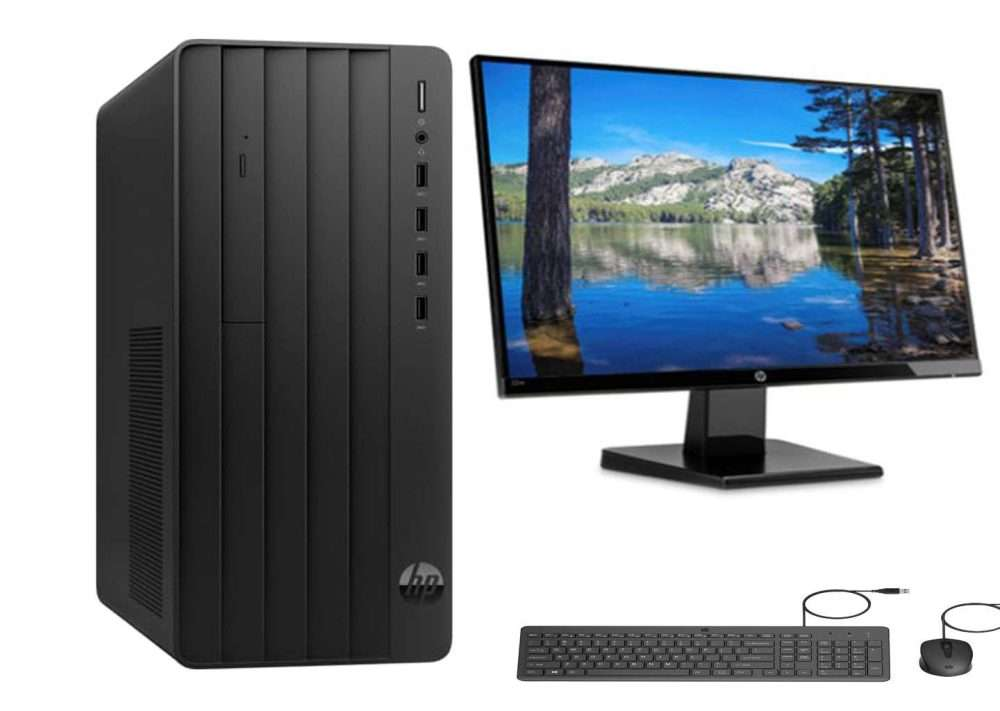
What a Tower Listing Usually Leaves Out: Most desktop towers are sold without a screen, and many arrive without a licensed operating system, so the listed figure covers the computer and little else. In day-to-day IT procurement, suppliers regularly see offices that budget for a batch of towers and then realise at delivery that half the desk is still missing. The follow-up order is usually rushed.
Late Additions Rarely Fit Well: Buying the tower first and the rest later usually leads to compromises, because the budget is partly spent and every screen or accessory now has to fit the ports and desk space that remain. Offices end up buying adapters to bridge mismatched connections or settling for whichever monitor happens to be in stock that week.
What Turns a Tower into a Working Desk
The Smaller Items That Decide Daily Comfort: Keyboards, mice, webcams and headsets are the peripheral devices staff handle all day, and for routine office work their quality shapes comfort more directly than a faster processor would. Some business towers ship with a wired keyboard and mouse in the box, while others include nothing. Checking the box contents before ordering avoids paying twice.
Monitors Must Match the Tower’s Ports: A monitor bought separately has to connect to the outputs on the tower, so HDMI or DisplayPort compatibility is worth confirming before either item is ordered. Screen size depends on the work. A receptionist manages well on a 22-inch or 24-inch panel, while an accountant reconciling spreadsheets often works more comfortably across two screens placed side by side.
Software and Storage Set the Limits: A desktop listed with DOS has no full operating system ready for office software, so a licence becomes a separate line in the budget. Storage needs the same attention. A desktop computer price that already covers a fast SSD with room for work files spares the office from opening new machines months later to add capacity.
Separate Tower or All-in-One for the Desk You Have
Towers Suit Offices Keeping Their Screens: A tower sold without a monitor is often the sensible choice for an office replacing ageing machines but keeping screens that still work. The desktop range here covers both systems sold without monitors and all-in-one models with built-in displays, so buyers can weigh one against the other. Towers also leave room to add memory or storage later.
All-in-One Models Trade Upgrades for Tidiness: An all-in-one model builds the screen and the system into one housing, which cuts cable clutter and suits reception counters or shared desks. That compact form factor carries trade-offs. Internal parts are harder to upgrade, and a failed display can take the computer out of use until it is repaired. Where desk space is tight, the exchange is often worth making.
Long-Term Value Sits in the Whole Workstation
Power Protection Preserves Hardware and Work: A UPS under each desk protects the computer and whatever is open on it, since power dips and sudden outages in many Kenyan towns can shut a desktop off mid-task and corrupt unsaved files. Many office UPS units also correct minor voltage swings, which spares the power supply inside the tower from repeated stress over the years.
Complete Desks Make a Fairer Comparison: Pricing complete desks against each other gives a fairer result than comparing towers alone. A desktop computer price that looks higher on its own can become the cheaper route once a bundled keyboard or preinstalled licence removes a separate purchase. Screens and keyboards tend to stay in service after the tower beside them is replaced, so they deserve careful choosing.
Checks Worth Running before Any Desktop Order
Points to Confirm on Every Quote: A quick check of each item on the desk before ordering catches most of the mismatches that push a setup over budget. The points below apply whether the office is furnishing one front desk or a whole accounts team, and each one takes only a minute to confirm against a product listing.
- Confirm whether the listing includes a monitor, keyboard and mouse.
- Match the monitor inputs to the display outputs on the tower.
- Check whether the operating system is licensed or listed as DOS.
- Choose storage with enough room for the files each role handles.
- Compare each desktop computer price as a full desk total, since that is the figure the budget actually pays.
A Desk That Works from the First Morning
A workstation priced as one complete desk gives staff a machine they can use properly from the day it arrives. Each piece left for later tends to take longer to source and fit, and the team works around the gap in the meantime. Compare towers and all-in-one models as complete setups, then get in touch for a full workstation quote before you order.