
Most phone videos are not ruined by the camera. They are ruined later, when the editor adds music that has nothing to do with the pace or purpose of the footage. A 20-second travel clip, a quick Android tutorial, and a product demo may all be filmed on the same device, but they need very different sound. For creators who work mainly from a phone, the useful question is not “Where can I find a cool track?” It is “What should this edit sound like?” Tools such as AI Song make that question practical because a creator can describe a musical direction or work from lyrics and generate a complete track to test against the video. The better the brief, the less random the result feels.
Start With the Edit, Not the Genre
“Lo-fi,” “pop,” and “electronic” are genres or broad styles. They do not explain what the music needs to do inside a video.
Open the rough cut first. Note three things: when the video starts delivering useful information, where the biggest visual change happens, and how the clip ends. A screen-recording tutorial may need a steady background with no dramatic interruptions. A weekend montage can support larger changes in energy. A before-and-after edit may need a clear lift exactly when the result appears.
This approach also prevents a common mobile-editing problem: choosing a favorite track first and then forcing every cut to follow it.
Write the music brief after you understand the footage. Even one sentence can be enough: “light electronic instrumental, steady pulse, calm opening, slightly stronger second half, no vocals.”
Three Mobile Video Types Need Three Different Music Decisions
- A Screen Tutorial Needs Space
Suppose you are recording a short Android guide that shows viewers how to change a setting, clean up storage, or solve a simple device problem. The viewer is concentrating on taps, menus, labels, and narration.
Busy music makes that harder. Choose a restrained instrumental direction with a consistent rhythm and limited dramatic movement. If there is spoken explanation, test the music underneath the voice at normal listening volume. You should be able to follow the instructions without making an effort.
A useful prompt can describe function rather than emotion: “minimal electronic background for a phone tutorial, clean rhythm, light texture, steady energy, no vocals, no big transitions.”
- A Travel or Lifestyle Montage Needs Shape
A montage has less explanation and more visual movement. That gives the music more room to lead.
Imagine twelve short clips from a day trip: train window, coffee, street signs, a market, a viewpoint, and the ride home. Instead of asking for “happy travel music,” describe the arc. You might want a gentle opening, a brighter middle, and a relaxed finish.
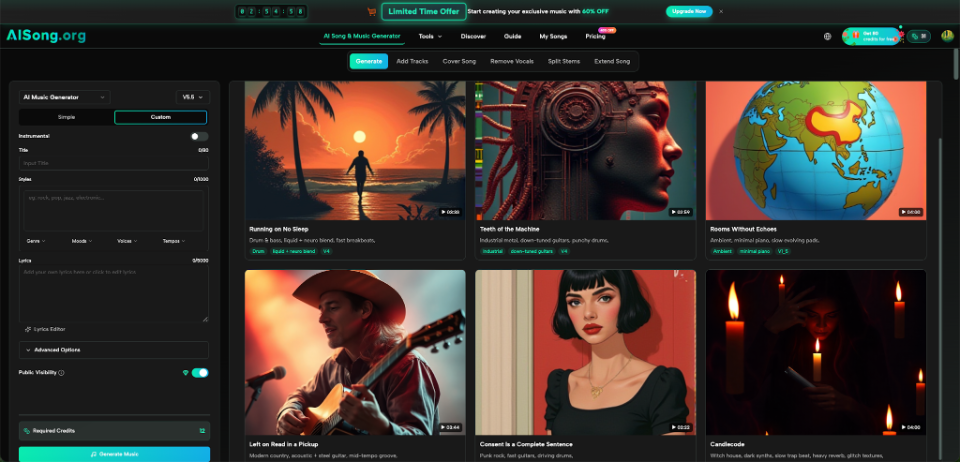
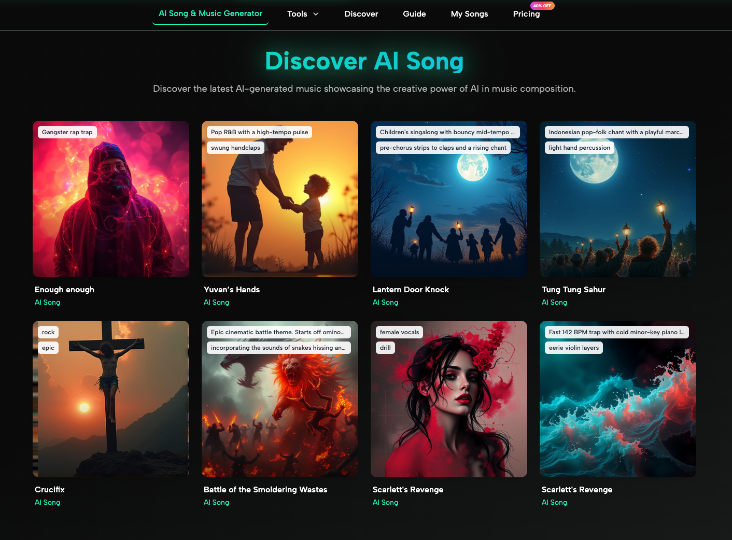
The AI Music Generator workflow on AISong supports style descriptions and can generate either song-based or instrumental results, depending on how you set up the creation. That makes it possible to experiment with a musical shape that follows the edit rather than selecting a track based only on a genre label.
- A Product Demo Needs a Clear Moment
Short product clips often have one important visual event: the lid opens, the light turns on, the accessory snaps into place, or the finished result appears.
Mark that moment on the timeline. Then choose music that can support it without turning the demo into a movie trailer. A slightly stronger beat, brighter instrument, or change in density can be enough.
The brief might read: “clean modern instrumental for a compact tech accessory demo, medium tempo, subtle build, crisp percussion, strongest energy near the final reveal, no vocals.”
Use Tempo as an Editing Tool
Tempo simply means the speed of the beat. You do not need music theory to use it.
A fast track encourages shorter cuts because visual changes can land on frequent beats. A slower track gives a shot more room to breathe.
Before generating anything, tap through your rough edit and notice how often the shot changes. If you are cutting every half-second, a slow, spacious song may fight the edit. If you are showing detailed steps on a screen, frantic percussion may create unnecessary pressure.
Do not chase an exact beats-per-minute number unless you already work that way. For most casual creators, words such as slow, medium, fast, steady, or gradually building are easier to use and easier to revise.
Change One Variable When a Track Misses
AI generation invites experimentation, but random experimentation wastes time. When the first result is close, identify one problem.
If the mood is right but the track feels too busy, keep the style and request a simpler arrangement. If the rhythm works but the sound feels too dark, change the mood. If vocals compete with the video, move toward an instrumental version.
AISong’s current creation guide also describes a Regenerate option for exploring another interpretation while keeping the underlying style and lyrics. That is useful when the basic direction is working and you want another take rather than a completely different idea.
Keep a short note beside each attempt. “Good opening, too dramatic after halfway” is more useful than “version two is weird.” Specific feedback makes the next brief easier to write.
Do a Phone-Speaker Test Before You Publish
Creators often edit with headphones and forget that many viewers will hear a video through small phone speakers. That changes what survives in the mix.
Play the finished clip from the phone speaker at a moderate volume. Can you still understand narration? Does a thin, high-frequency sound become irritating? Does the music disappear completely when the speaker cannot reproduce the deeper bass?
Then try the video with headphones.
Also listen once without watching. This catches abrupt music starts, awkward endings, and volume changes that your eyes can distract you from noticing.
For tutorial content, speech should remain the easiest element to follow. For montage content, the music can take more space. The test should match the video’s purpose.
A Simple Brief You Can Reuse
A practical music brief for mobile video can fit into five lines:
- Video type: tutorial, montage, demo, vlog, before-and-after.
- Viewer feeling: calm, curious, excited, focused, playful.
- Pace: slow, medium, fast, or building.
- Sound direction: acoustic, electronic, cinematic, pop, ambient, or another clear style.
- Avoid: vocals, heavy bass, dramatic drops, dense drums, or anything else that clashes with the edit.
Save the template in your notes app. The next time you film, fill it in before searching for music.
The value is not the template itself. It is the habit of making a decision about sound before the final export.
Conclusion
Mobile video creation becomes much easier when music is treated as part of the edit rather than something pasted on at the end. Start by watching the rough cut, identify what the viewer needs to notice, and write a short brief around pace, mood, and musical role. Tutorials usually need space, montages can use stronger movement, and product demos benefit from one well-timed lift. Then revise one variable at a time and test the result on the same kind of phone speaker your audience may use. You do not need a desktop studio or advanced music vocabulary to make better choices. On your next phone video, write the five-line music brief before you open the editor and use it as the reference for every version you test.