
Imagine launching a high-throughput Make scenario designed to convert flat product photos into 3D-ready assets, only to watch it collapse under rate limits, unhandled payload errors, or runaway operational costs. When developers integrate the gpt image 2 api into automated pipelines, they often treat the integration as a simple API call within a single-user workflow. In production, however, scaling this process across a design and development team requires moving past basic prompt tutorials. Without a structured operational model, automated visual content engines quickly become brittle, expensive bottlenecks.
Using a robust orchestration layer like defapi-gi2-api helps developers build reliable pipelines. However, even with the best tooling, common mistakes in concurrency management, role handoffs, input validation, and exception handling can derail your automation. To build a system that scales, engineering teams must address these operational challenges directly within their Make scenarios.
Identifying the Operational Bottlenecks in Automated Image Pipelines
The first critical mistake developers make when setting up the gpt image 2 api inside Make is assuming that image generation behaves like text generation. Text APIs return responses in seconds, whereas high-resolution image generation and complex editing tasks require asynchronous processing. If a Make scenario is configured to wait synchronously for the gpt image 2 api response, the connection will frequently time out during peak traffic periods, leading to incomplete scenarios and orphaned data.
When multiple webhook triggers fire simultaneously—such as during a bulk product upload—the pipeline faces severe concurrency pressure. If your Make scenario attempts to execute dozens of gpt image 2 api requests in parallel without rate-limiting queues, the API will return rate-limit errors. This instability degrades the overall pipeline reliability.
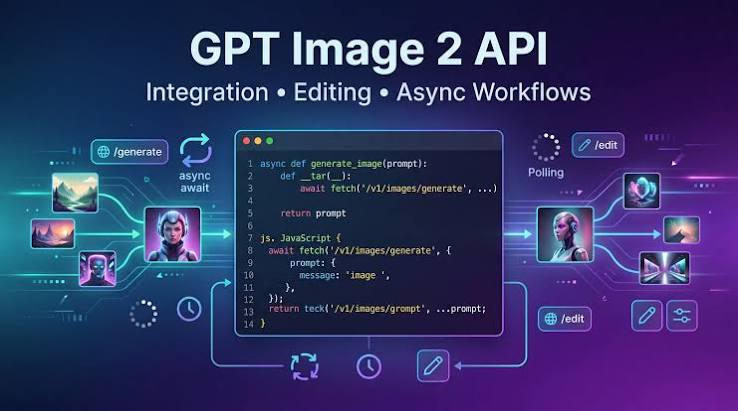
To resolve these bottlenecks, developers must separate the initial task creation from the result retrieval. This is achieved by utilizing the asynchronous task endpoints of the gpt image 2 api, which return a unique task ID immediately. The Make pipeline should then write this task ID to a database and use a separate polling loop or webhook listener to retrieve the finished assets.
| Pipeline Pattern | Concurrency Handling | Timeout Risk | Operational Reliability |
| Synchronous Execution | Direct API request blocking the Make thread | Extremely High | Low (Fails during peak traffic) |
| Asynchronous Polling | Task ID stored; periodic checks via scheduler | Low | Medium (Requires database tracking) |
| Webhook Callbacks | API posts results directly to Make webhook | Lowest | High (Decoupled and event-driven) |
By transitioning to an asynchronous or webhook-driven architecture, developers ensure that the gpt image 2 api remains stable, even when processing hundreds of concurrent photo-to-3d conversion tasks.
Establishing Clear Role Handoffs Between Developers and Creators
A common operational failure is the lack of a clear boundary between developer responsibilities and creative team control. Developers often build pipelines that automatically push raw outputs from the gpt image 2 api directly to production channels. This approach ignores the necessity of human curation, leading to off-brand visuals, misaligned geometry, or text rendering errors reaching the public.
A resilient integration uses the defapi-gi2-api platform to establish a structured staging environment. In this model, the developer’s role is to maintain the API infrastructure, monitor system uptime, handle payload serialization, and manage the flow of data. The creative team’s role is to define the visual parameters, inspect the generated assets, and approve them for final distribution.
To facilitate this handoff, developers should structure the Make scenario to route raw image URLs and metadata to an internal review dashboard, such as Airtable or a custom Retool interface. The creative team can then review the assets generated by the gpt image 2 api. If an asset is approved, a webhook triggers the final publishing step. If it is rejected, the system prompts the creator for a localized edit or a reference image adjustment, routing the task back through the gpt image 2 api with updated parameters. This clear separation of duties prevents technical debt and maintains high visual standards.
Defining Production Standards for Photo-to-3D Conversions
Generating assets for photo-to-3d workflows requires strict adherence to technical standards. A frequent mistake is feeding low-resolution, poorly cropped, or cluttered product images into the gpt image 2 api. Without strict input validation, the model cannot accurately distinguish the foreground object from the background, resulting in distorted 3D conversions.
Developers must enforce validation rules directly in Make before any payload is sent to the gpt image 2 api. These rules should check the aspect ratio, file size, and image resolution of the source photo. The gpt image 2 api supports custom resolutions where the maximum edge is 3840px, both edges are multiples of 16px, and the total pixels fall between 655,360 and 8,294,400. Ensuring these constraints are met programmatically prevents unnecessary API rejection errors.
Additionally, prompts must follow a standardized template to maintain consistency. Below is an example of a structured request payload designed for photo-to-3d reference generation:
{
“model”: “openai/gpt-image-2”,
“prompt”: “A highly detailed, isolated studio product shot of a skincare bottle, front view, neutral gray background, clean lighting, ready for 3D photogrammetry reconstruction”,
“size”: “1536×1024”,
“quality”: “high”,
“images”: [
“https://example.com/uploads/raw-product-photo.jpg”
],
“callback_url”: “https://example.com/webhook/image-callback”
}
Enforcing these input standards guarantees that the gpt image 2 api receives optimized data, resulting in consistent, high-fidelity outputs that can be easily processed by downstream 3D modeling tools.
Designing Exception Paths and Fallback Routines for API Failures
In a production environment, API requests will eventually fail due to network instability, temporary server overloads, or invalid input parameters. A naive Make scenario will stop executing upon encountering an error, leaving the transaction half-finished and disrupting the downstream workflow.
To build a resilient system, developers must design explicit exception paths. When the gpt image 2 api returns a non-200 status code, the Make scenario should catch the error, log the error message, and evaluate whether the failure is transient or permanent. For transient errors, such as rate limits or temporary server issues, developers should implement an exponential backoff retry policy. This prevents the pipeline from exhausting API quotas while giving the server time to recover.
By utilizing defapi-gi2-api, developers can also configure fallback routines. If the primary gpt image 2 api endpoint is unreachable or consistently fails after three retries, the scenario can route the request to a secondary fallback model or alert the engineering team via Slack.
[Raw Photo Upload]
│
▼
[Validate Input Constraints] ──(Invalid)──> [Log Error & Alert Creator]
│
(Valid)
▼
[Send Request to gpt image 2 api]
│
├──(Success)──> [Store Task ID & Await Callback]
│
└──(Failure)──> [Evaluate Error Type]
│
├──(Transient)──> [Exponential Backoff Retry]
│
└──(Permanent)──> [Route to Fallback / Alert Devs]
This structured error handling architecture ensures that a single API failure does not halt the entire team’s production pipeline.
Implementing a Continuous Measurement Loop for Cost and Quality
Without ongoing monitoring, the cost of running automated image pipelines can quickly spiral out of control. Developers often neglect to track consumption metrics for the gpt image 2 api, making it difficult to calculate the return on investment for automated workflows.
To manage expenditures effectively, developers must integrate cost tracking directly into their database schemas. Using the defapi-gi2-api orchestration platform, teams can access highly competitive pricing structures. In fact, Defapi models are typically more than 50% cheaper than official pricing. The specific rate for running the gpt image 2 api through this platform is $0.000000 input, $0.020000 output. When evaluating your operational budget, always compare equivalent model, input/output unit, quality, and resolution settings against the current official pricing.
A continuous measurement loop should track three primary metrics:
- Cost per Successful Asset: Total API spend divided by the number of approved 3D-ready outputs.
- Pipeline Success Rate: The percentage of gpt image 2 api requests that complete without triggering retries or fallbacks.
- Creative Approval Rate: The percentage of generated images that pass creative review without requiring manual adjustments.
By analyzing these metrics weekly, developers can refine prompt templates, adjust resolution settings, and optimize their Make scenarios. This continuous refinement ensures the gpt image 2 api integration remains both technically reliable and highly cost-effective over time.